




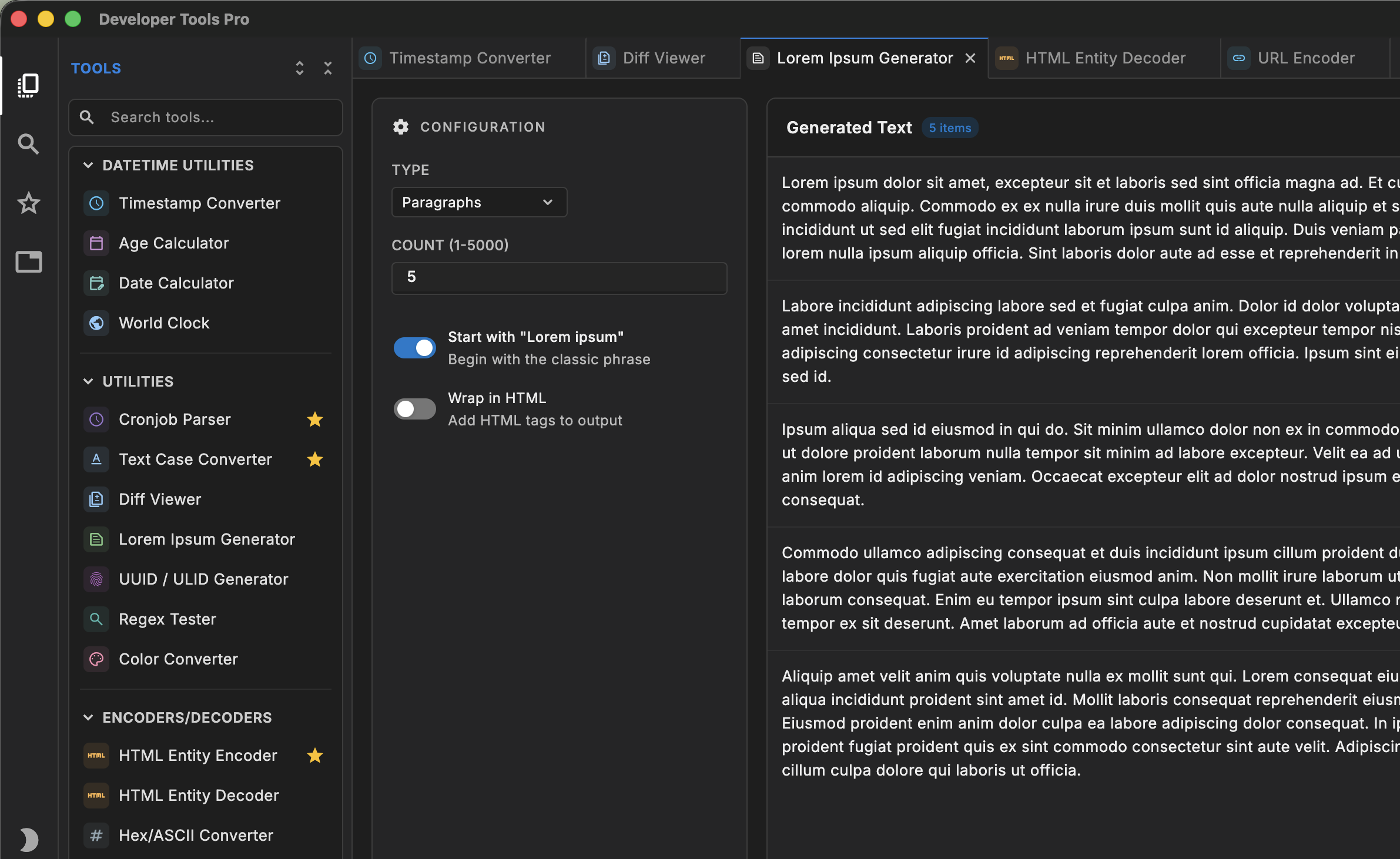





Every developer tool you need.
In one offline app.

Format JSON, decode tokens, test regex, compare text, hash strings, and convert data locally, without accounts or tracking.

Free to start · $4.99 unlocks all 120+ tools

Free to download · $4.99 unlocks all 120+ tools

$4.99 one-time · or start free with Lite →

Also on macOS · Windows · iPad Also on Windows · iPad Also on macOS · iPad Also on macOS · Windows
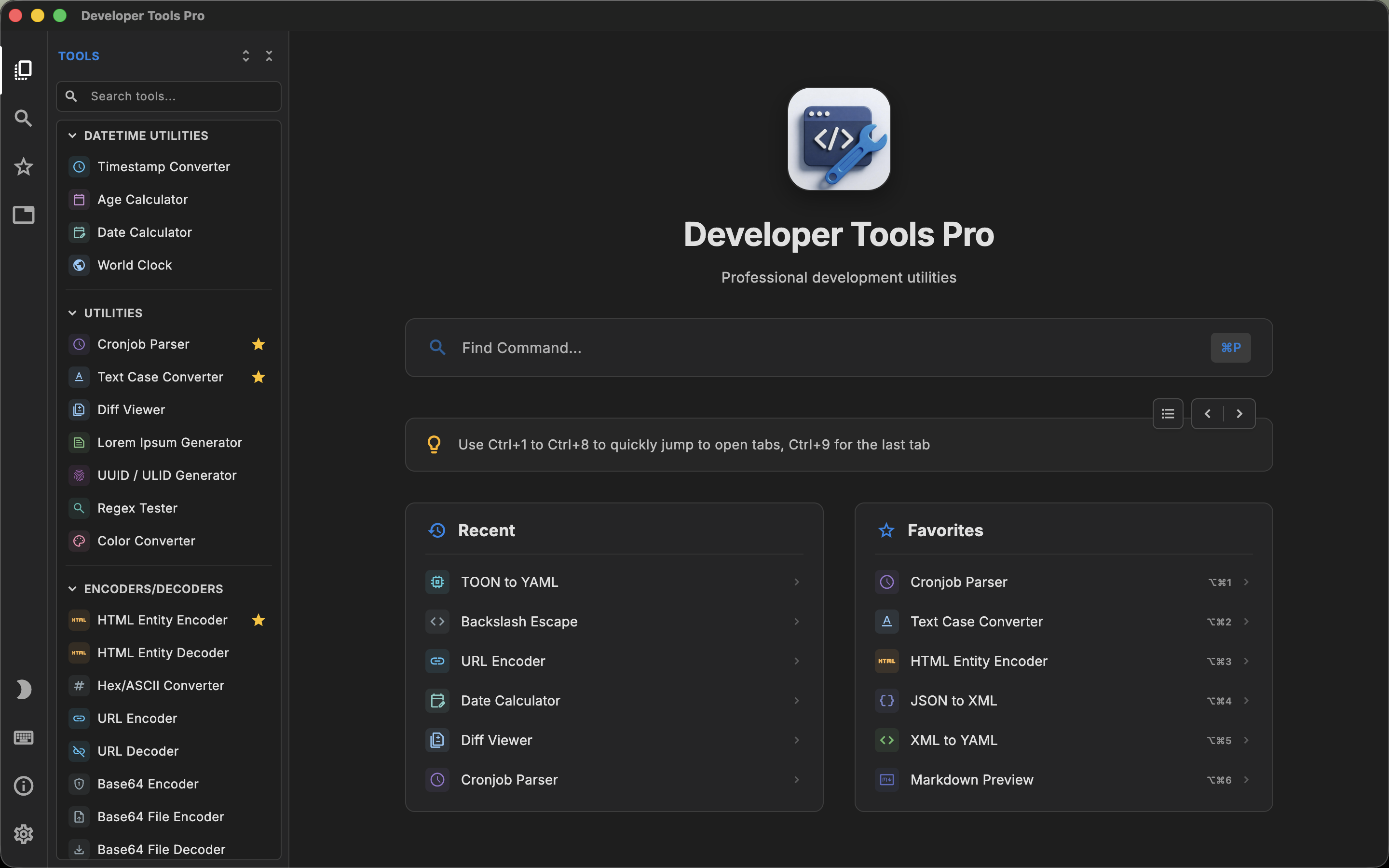
Developer Tools Pro Dark Mode
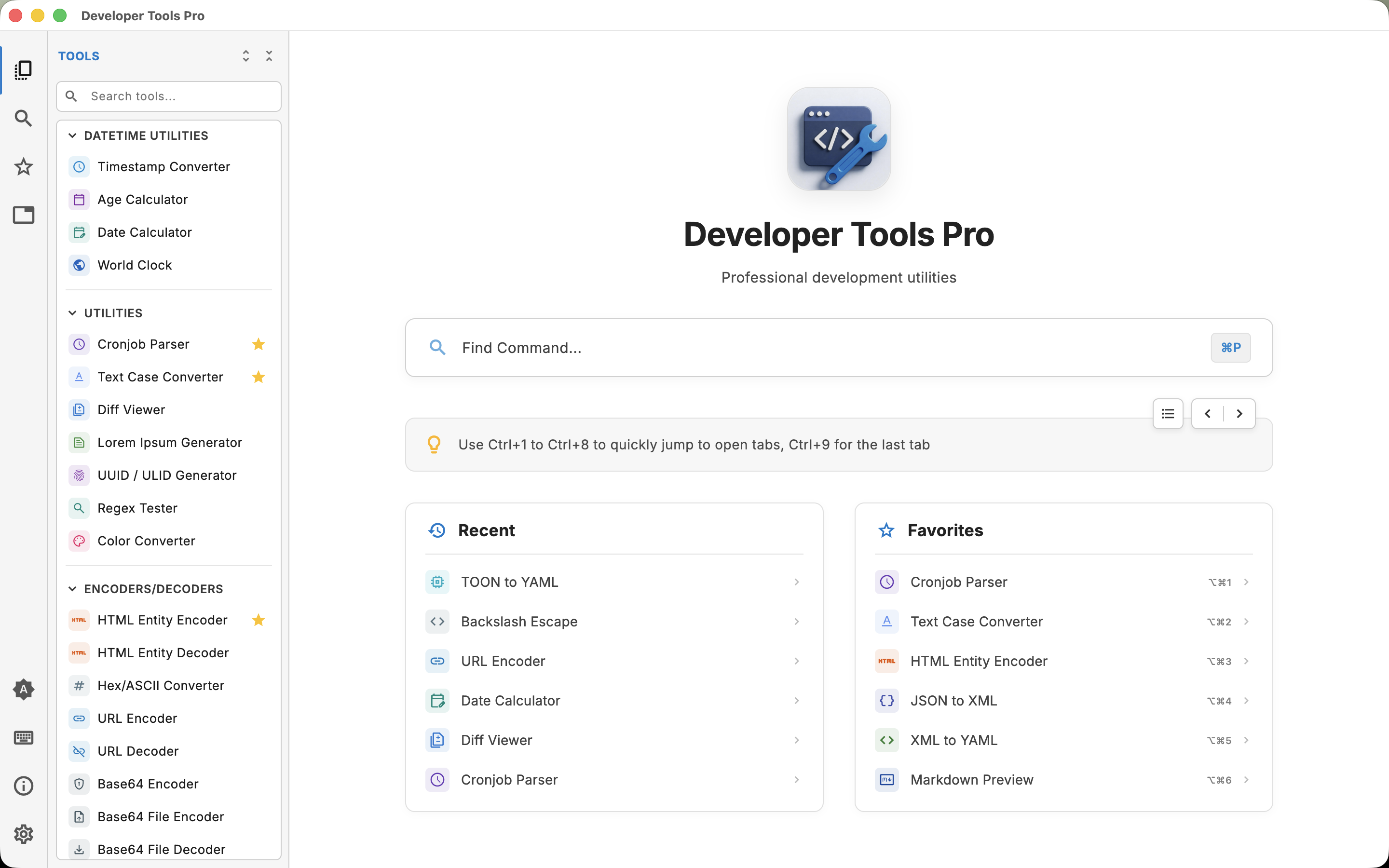
Developer Tools Pro Light Mode
Dark
Light

The Toolbox

Everything in one place

From parsing to cryptography; if you do it regularly, it's already here.

Converters 46 tools
JSON ↔ CSV JSON ↔ YAML JSON ↔ XML XML ↔ CSV YAML ↔ TOML CSV ↔ TSV XML ↔ JSON TSV ↔ CSV TOML ↔ JSON
Code Generators 19 tools
JSON → TypeScript JSON → Swift cURL → Python cURL → Kotlin cURL → Rust cURL → Go
Encoders & Decoders 13 tools
Base64 URL Encode/Decode JWT Decoder HTML Entity Hex/ASCII Backslash Escape
Cryptography 3 tools
Hash Generator Encryption SHA-256 AES-256 RSA KeyGen
Date Utilities 4 tools
Timestamp Age Calc Date Diff World Clock Calendar
Utilities 11 tools
UUID/ULID Regex Tester Cron Parser Diff Viewer Color Converter Lorem Ipsum
Validators & Formatters 13 tools
JSON Validator XML Validator YAML Validator JSON Formatter XML Minifier
Viewers & Previewers 9 tools
JSON Viewer CSV Viewer HTML Preview Markdown Preview YAML Viewer
QR Code 2 tools
QR Generator QR Reader Wi-Fi QR vCard QR Batch QR

Why Developers Love It

Built for the way you actually work

Command Palette — Developer Tools Pro

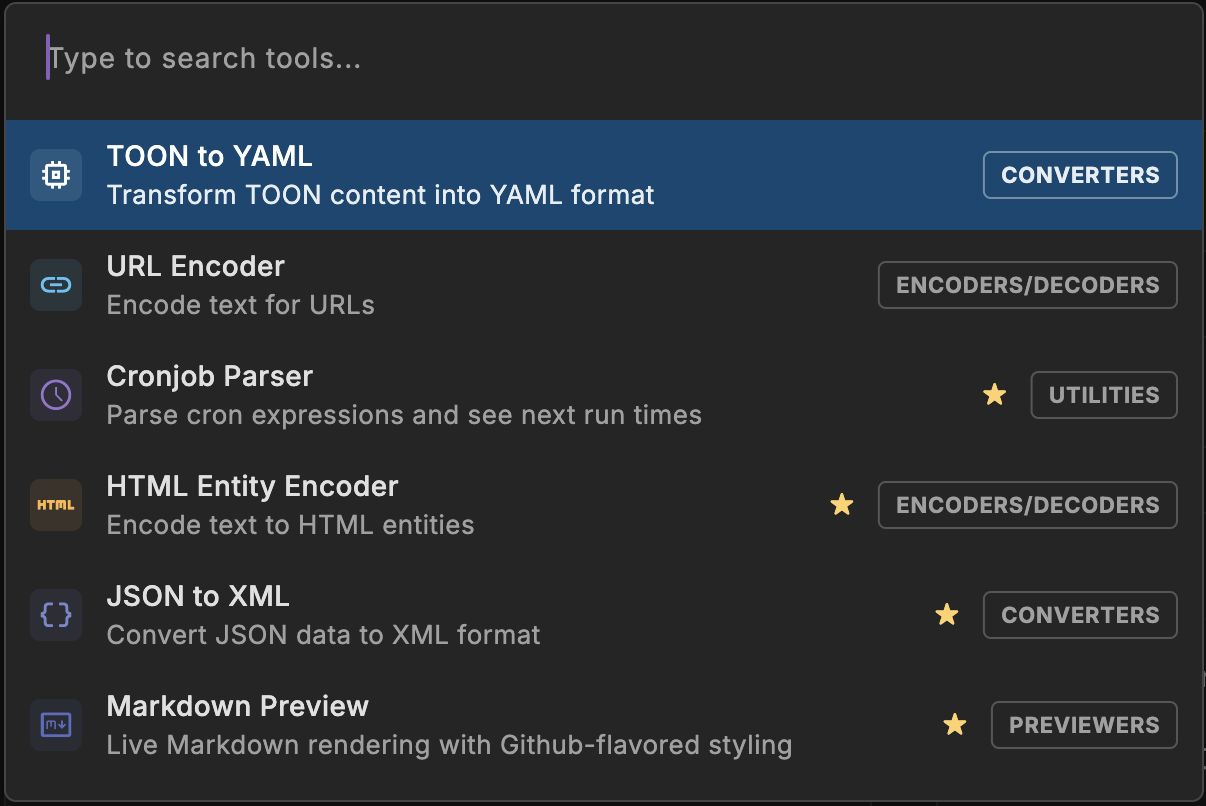
Command Palette

Hit ⌘P and type to reach any of the 120+ tools in milliseconds. No mouse, no menus. Your hands stay on the keyboard where they belong.

⌘P 120+ tools Instant search
Keyboard First — Developer Tools Pro

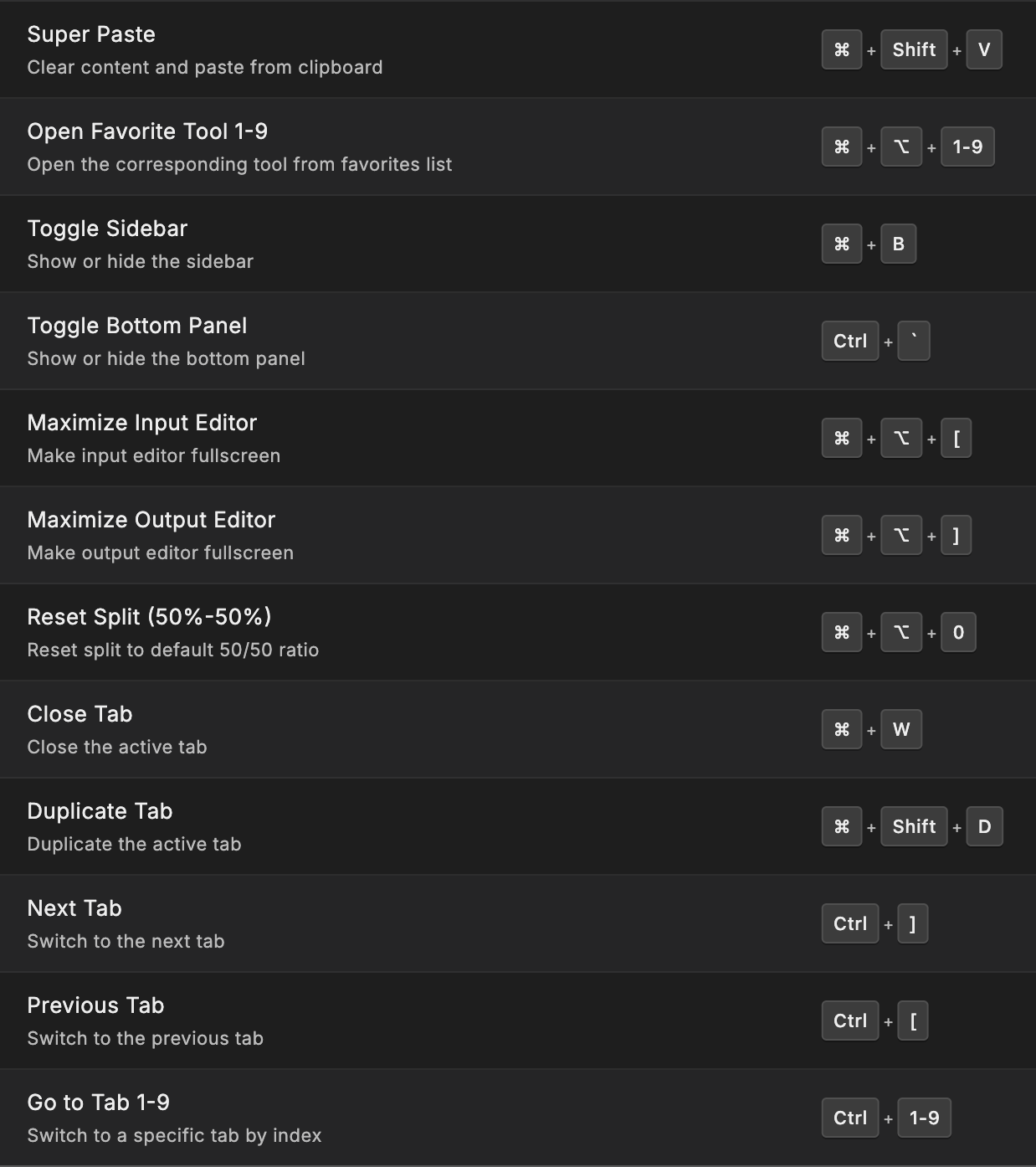
Keyboard First

Navigate and operate entirely with your keyboard. Every tool is accessible without touching the mouse, keeping your workflow fast and efficient.

Zero mouse Full key-nav Shortcuts
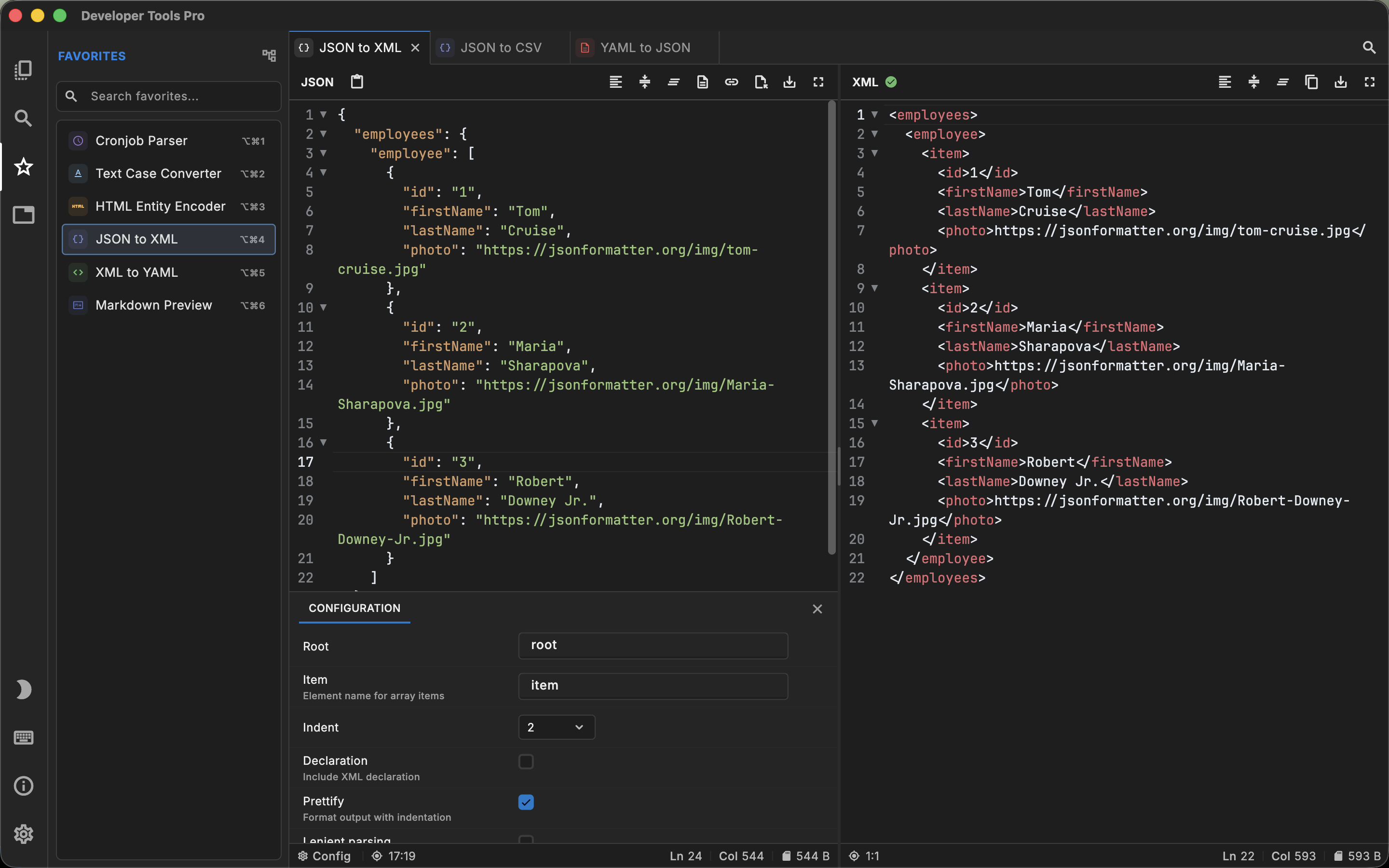
Tab-Based Workflow — Developer Tools Pro

Tab-Based Workflow

Work on multiple tasks simultaneously. Open JSON in one tab, run a regex test in another, generate UUIDs in a third.

Multi-task Side-by-side Switch fast
Pro Code Editor — Developer Tools Pro

Pro Code Editor

Syntax highlighting, Code Folding, and an interface your fingers already know. Every input field is a proper editor, not a plain textarea.

Syntax highlighting Code folding Find & replace

Available On

Your stack, your platform

Start with 16 essential tools, free on every platform. Unlock all 120+ for $4.99 — one time, no subscription.

macOS

Requires macOS 11.5 or later. Apple Silicon + Intel support.

Free 16 tools $4.99 unlocks all 120+

Windows

Requires Windows 10 or 11. x86 + ARM (Emulated) support.

$4.99 one-time All 120+ tools included

Or try Lite free — 16 tools, no ads
What’s the difference between Free and the full version?
Free All Tools
Tools16 essentialsAll 120+
Works offlineYesYes
AdsNoneNone
Account requiredNoNo
UpdatesIncludedIncluded
PriceFree$4.99 once

On Mac and iPad it’s one app — the unlock is an in-app purchase. On Windows the free tier ships as a separate Microsoft Store listing, Developer Tools Pro Lite.

🛡️

Zero data collected. Ever.

Developer Tools Pro is 100% offline. No account needed. No telemetry. No network calls. Your code, your secrets, your data, process everything locally and keep it that way.

No Internet Required No Account Needed No Analytics No Telemetry

Questions

Before you download

Is Developer Tools Pro free?

Yes. 16 essential tools are free forever on Mac, Windows and iPad, with no ads and no account. Unlocking all 120+ tools is a one-time $4.99 purchase.

What is Developer Tools Pro Lite on Windows?

Lite is the free Windows edition, with the same 16 essential tools. The full Developer Tools Pro listing has all 120+ tools for $4.99. Both are ad-free and work entirely offline. On Mac and iPad there is no separate Lite app: you download one app free and unlock the rest from inside it.

Is this a subscription?

No. $4.99 is a one-time purchase and includes future updates. There is nothing to renew and nothing to cancel.

Does it work offline, and what data is collected?

Every tool runs locally on your device, so the app works with no internet connection. There is no account, no telemetry, no analytics and no network calls.

Get Started

Your dev tools are
waiting for you.

Start free on Mac, Windows, or iPad. Unlock all 120+ tools for $4.99 — one time, no subscription.

Latest: v8.0 · What's New →